
The $400 billion digital revolution of online education means that it is no longer limited to four walls.
More creators, coaches, and businesses are turning their knowledge into digital courses and building real income streams. For founders, this is not just about course creation. It is about owning the platform, margins, and customer data.
But before you launch your course, ask yourself:
Do you want ownership of your platform or want to depend on a third-party marketplace?
This is where self-hosted LMS platforms stand out, and they provide you with:
- Full branding control
- No extra transaction fees
- Deep customization options
- Complete ownership of your data
In this guide, you will learn how self-hosted LMS platforms work, why they matter, and what features to look for. You will also find detailed reviews, a comparison table, and practical ways to monetize your courses.
If you want full control over your course platform, revenue, and data, this guide will help you choose the right solution.
How to Choose the Best Self-Hosted LMS Platform?
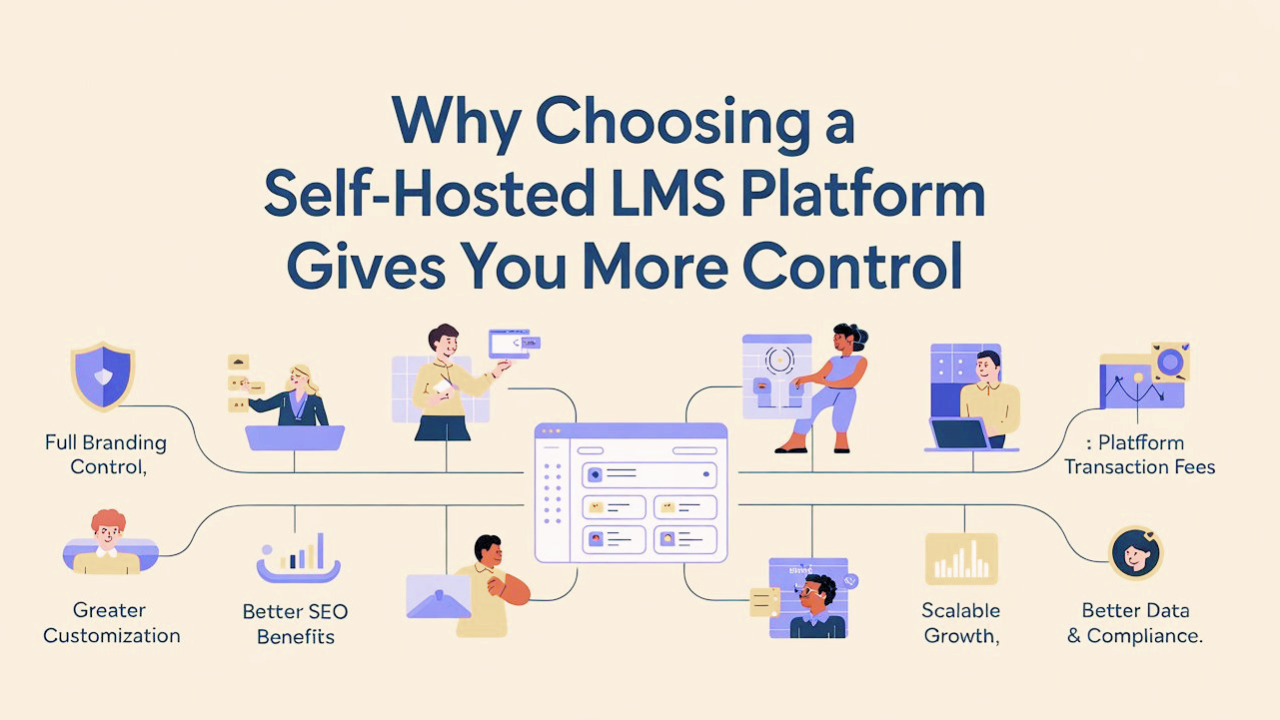
As online learning becomes more competitive, owning your platform gives you a serious advantage. Here’s why a self-hosted LMS platform makes sense:
1. Full Branding Control
With a self-hosted LMS platform, everything reflects your brand, your logo, your design, and your domain. There are no third-party watermarks or “Powered by” labels. This creates a more professional experience and builds stronger trust with your students.
2. No Platform Transaction Fees
A portion of each sale is taken by a large number of SaaS platforms. You only have to pay regular payment processing fees (like Stripe or PayPal) when using a self-hosted LMS platform.
This can save you thousands of dollars annually at higher sales volumes.
3. Greater Customization
You’re not limited to basic settings. You can customize layouts, add integrations, build unique features, and scale the platform as your business grows. It is undoubtedly designed to meet your requirements rather than platform constraints.
4. Better SEO Benefits
Your courses live on your own website, which helps build your domain authority and improve search rankings. Unlike hosted platforms that use subdomains, a self-hosted LMS strengthens your entire online presence.
In short, a self-hosted LMS gives you more control, more profit, and more long-term growth potential.
5. Scalable Growth Without Higher Platform Costs
SaaS LMS platforms often increase pricing as your student numbers grow. With a self-hosted LMS, costs remain stable; you only upgrade hosting when needed. This means your margins improve as you scale.
6. Better Data Control & Compliance
Self-hosting gives you full control over student data, making it easier to comply with GDPR, FERPA, HIPAA, and other regulations. For organizations handling sensitive information, this level of control is often essential.
Key Features to Look for in the Best Self-Hosted LMS Platform
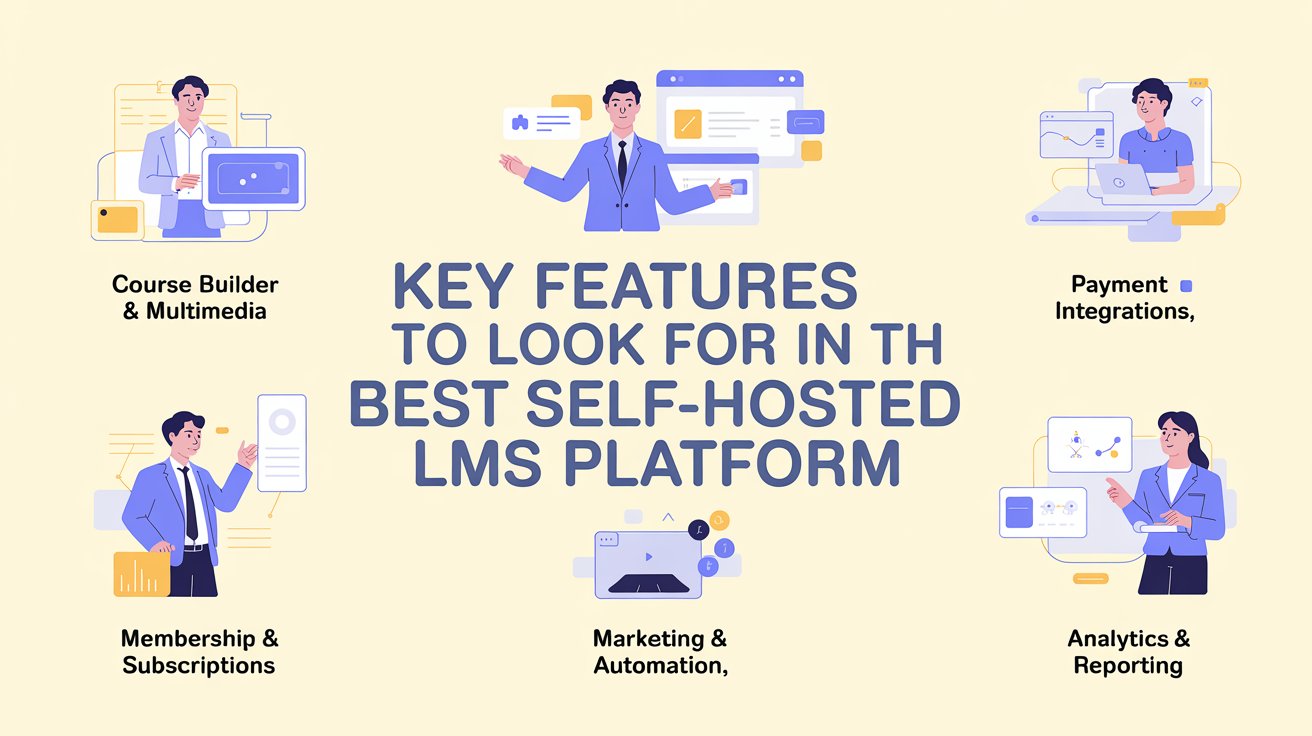
1. Online Course Builder & Multimedia Support
Choose a self-hosted LMS platform with an intuitive drag-and-drop builder. It should support videos (YouTube, Vimeo, self-hosted), PDFs, audio files, quizzes, assignments, certificates, and drip content scheduling.
The easier it is to create engaging lessons, the better the learning experience.
2. Payment Gateway Integrations
Your LMS should integrate with major payment processors like Stripe and PayPal, along with regional options if needed. It must support one-time payments, subscriptions, payment plans, and free enrollments for flexibility.
3. Membership & Subscription Management
The recurring revenue, it drives long-term growth. Look for features like membership tiers, bundled courses, subscription billing, and content access control to offer multiple pricing models.
4. Marketing & Automation Tools
Strong self-hosted LMS platform integrates with or includes tools like email marketing, funnels, landing pages, coupon systems, affiliate management, and A/B testing. Fewer third-party tools mean lower costs and simpler operations.
5. Analytics & Reporting
You need visibility into enrollments, student progress, completion rates, drop-offs, and revenue sources. A built-in analytics dashboard helps you optimize both learning outcomes and sales performance.
Best Self-Hosted LMS Platforms to Build & Sell Courses
Platform #1: CourseFunnels
A self-hosted, all-in-one LMS, CourseFunnels is intended for creators who desire more than just course delivery. Built by Teknikforce, it combines course creation, sales funnels, email marketing, and payment processing into a single platform you install on your own hosting.
It supports multilingual course delivery and integrates with major global payment gateways, making it a strong alternative to other platforms.

Ideal Customers
- Solo course creators and online coaches
- Digital marketers who want built-in funnels and email tools
- Entrepreneurs seeking a low-cost, no-revenue-share platform
- Businesses delivering multilingual training
Pros
✔️ This is a complete system (LMS + funnels + email marketing)
✔️ No revenue sharing or transaction fees
✔️ Supports multiple languages
✔️ Integrates with major global and regional payment gateways
✔️ Built-in A/B testing and affiliate management
Cons
❌ Requires self-hosted setup
Course Selling Capabilities: Strong focus on direct sales, upsells, bundles, subscriptions, and high-ticket course funnels.
Platform #2: LearnDash
One of the most well-known LMS plugins in the WordPress community is LearnDash. Since 2013, it has powered courses for universities, businesses, and professional educators worldwide.
If you want a feature-rich, self-Hosted LMS platform without leaving WordPress, LearnDash is an excellent choice. It is renowned for its advanced quiz system, structured course builder, and drip scheduling.

Ideal Customers
- WordPress website owners
- Universities and academic institutions
- Corporate training teams
Pros
✔️ Advanced quiz builder (multiple question types, timed quizzes, question banks)
✔️ Drip content with prerequisite controls
✔️ Focus Mode for improved learner experience
✔️ Course duplication tools
Cons
❌ No free version
❌ Requires WooCommerce or Easy Digital Downloads
❌ Add-ons increase total cost
Course Selling Capabilities: Supports one-time payments, memberships, and subscriptions via WooCommerce or MemberPress.
Platform #3: LifterLMS
LifterLMS is built for creators who want more than just courses; it focuses on memberships, community, and engagement. Unlike many self-hosted LMS plugins, its core version is free and allows unlimited courses and students.
It also includes engagement tools like gamification and email automation, making it ideal for coaching and subscription-based learning businesses.

Ideal Users
- Coaches combining courses with memberships
- Community-driven course creators
- Beginners who want to start free and scale later
- Subscription-based eLearning businesses
Pros
✔️ Built-in Stripe and PayPal integration
✔️ Native membership and subscription management
✔️ Gamification features (badges, achievements, engagement triggers)
✔️ Email automation for drip content and reminders
Cons
❌ Many advanced features require paid add-ons
❌ Renewal pricing increases after the first year
❌ Performance may require optimization at a larger scale.
Course Selling Capabilities: Supports subscriptions, bundles, memberships, and private coaching upsells.
Platform #4: Open edX
Unlike WordPress-based LMS platforms, Open edX is built for MOOCs (Massive Open Online Courses) and structured cohort learning. It offers a powerful course authoring system (Studio), peer-reviewed assessments, discussion forums, detailed analytics, and support for industry standards.

Ideal Users
- Universities and certification bodies
- Government training initiatives
- Enterprise learning & development teams
Pros
✔️ Advanced course authoring tools
✔️ Detailed learner analytics and reporting
✔️ Peer-reviewed and cohort-based learning features
✔️ Large global developer community
Cons
❌ High technical setup and maintenance requirements
❌ Resource-intensive hosting needs
❌ Customization requires developer support.
Course Selling Capabilities: Primarily suited for academic or large-scale certification programs.
Platform #5: Canvas LMS
Millions of students worldwide are served by Instructure's Canvas LMS, which is extensively used by prestigious universities. Its open-source Community Edition allows institutions to self-host the same core platform trusted in higher education.

Ideal Users
- Universities and colleges upgrading from legacy systems
- Not ideal for solo creators
- Corporate L&D teams prioritizing mobile access
Pros
✔️ Industry-leading user experience
✔️ Mobile-first design with native mobile apps
✔️ Strong LTI support for external tool integrations
✔️ Advanced gradebook and assignment workflows
Cons
❌ Complex setup and server requirements
❌ Limited built-in eCommerce in the open-source version
❌ Advanced analytics available only in enterprise plans
Course Selling Capabilities: Better for internal training rather than marketing-driven course sales.
Platform #6: Teachable
Unlike fully self-hosted LMS platforms, Teachable is a hosted (SaaS) system, meaning you don’t manage servers, updates, or technical maintenance.
It’s designed for speed and simplicity. You can build a course, set pricing, and start selling without touching code.

Ideal Users
- Coaches launching quickly
- Solo entrepreneurs without technical skills
- Creators who prefer managed hosting
Pros
✔️ Extremely easy setup
✔️ Built-in checkout and payment processing
✔️ Clean, beginner-friendly interface
✔️ Supports subscriptions and payment plans
Cons
❌ Limited design and backend customization
❌ Courses may live on subdomains unless upgraded
❌ Less SEO control compared to self-hosted platforms
Course Selling Capabilities: With Built-in checkout, subscriptions, and coupons.
How to Monetize Your Self-Hosted Courses
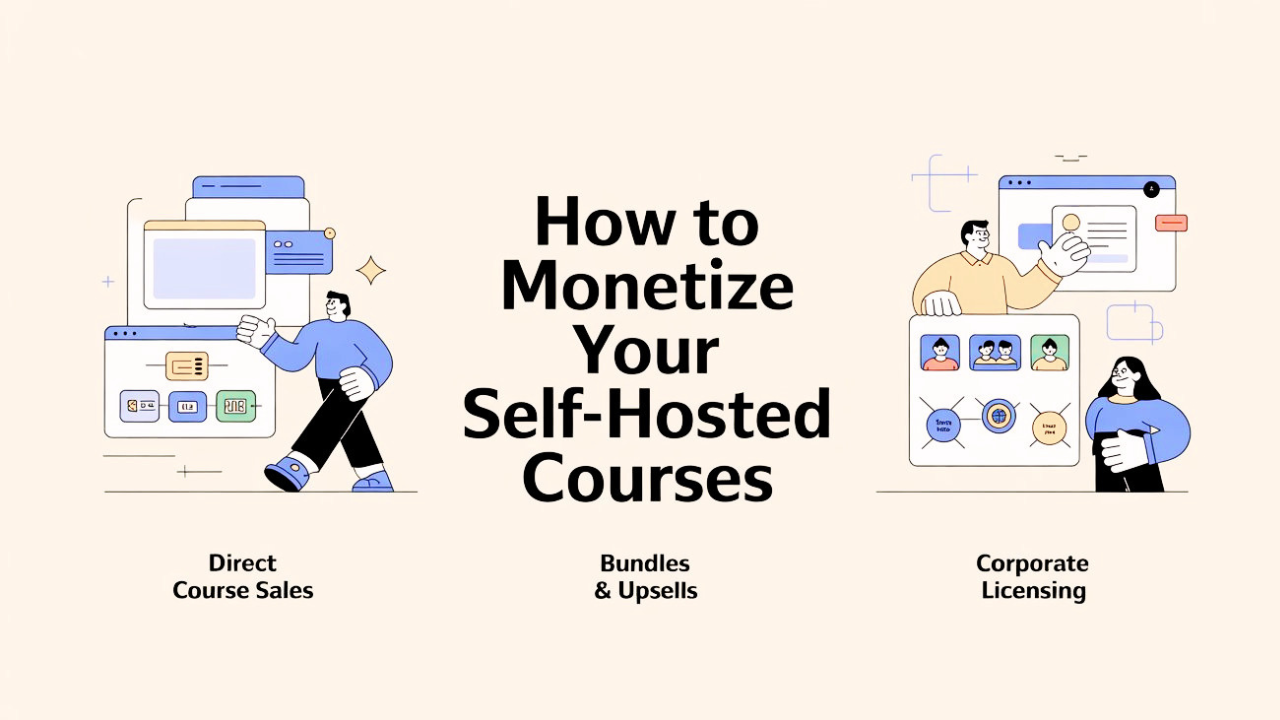
One of the biggest advantages of a self-hosted LMS is complete control over how you generate revenue. Here are the most effective monetization strategies:
1. Direct Course Sales
Want a quick and simple income? You can connect payment tools like Stripe, PayPal, or Square and accept one-time payments from students.
This method works well for single courses, certification programs, and special training sessions, and you can get great help from a tool like CourseFunnel.
2. Bundles & Upsells
Why sell just one course when you can offer more value? Offering the following will undoubtedly raise your Average Order Value (AOV):
- Course bundles
- One-click upsells
- Premium add-ons (coaching, templates, certifications)
By doing this, you can get more money from the same number of visitors without needing more traffic.
3. Corporate Licensing
Businesses and organizations can purchase "seats" or bulk access from you. This model is perfect for:
- Employee training programs
- Certification packages
- Department-wide enrollments
With fewer sales transactions, corporate deals can produce high-ticket revenue. You have complete control over pricing, marketing, and profit with a self-hosted learning management system (LMS) like CourseFunnels.
Conclusion
Choosing the best self-hosted LMS platform is more than just about features. It's also about flexibility, scalability, and long-term profitability.
Therefore, CourseFunnels is a great option if your top priorities are monetization power and high-converting sales funnels.
The real advantage of self-hosted LMS platforms is this:
👉 You own your audience.
👉 You control your revenue.
👉 You build a long-term digital asset.
Creators who prioritize ownership and smart monetization will dominate the online education market through 2026 and beyond.
Now is the time to build yours.
FAQs about the Best Self-Hosted LMS Platform
Q: Do self-hosted LMS platforms cost more than SaaS?
A: Initially, it can be (buying themes/plugins). Long term, it's significantly cheaper because you avoid monthly platform fees and transaction percentages.
Q: Is it necessary for me to be a developer?
A: Not for platforms like CourseFunnels or Masteriyo. They are designed with "Visual Builders." However, for Open edX or Moodle, you likely will need technical help.
Q: Is it possible to move from one to another?
A: Yes, most LMS platforms allow you to export your "course content" (SCORM or common formats), but migrating student progress data is often more complex.